Designing at CUSTA is meant to be flexible. We believe you should be able to play with your ideas before committing to a purchase. This article explains the relationship between your creative process and your CUSTA account to ensure your hard work is never lost.
Do I Need to Create an Account Before Designing?
No, you can start designing immediately as a guest. However, an account is required to save, share, or order.
At CUSTA, we offer a design-first experience. You can jump straight into the Online Editor from any product page without filling out a registration form. This allows you to test out different logos, fonts, and colors freely.
To create an account, can go to CUSTA website to directly register the account.
Feature
Guest mode
Registered account
Browser cache
Design is saved in your browser only
Design is saved on CUSTA’s servers
Data risk
If you clear your history, the design is deleted
Access your design from any device, anywhere
Collaboration
Cannot share the design link
Can save and send the design to a team or boss for review.
Where to Use Online Editor
Step 1: Pick your product
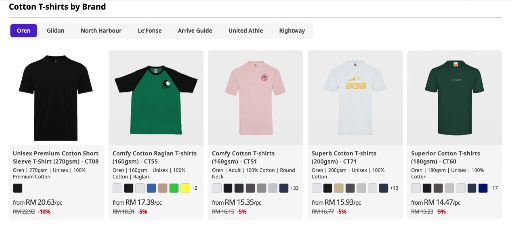
Start by exploring CUSTA's extensive catalog. We offer a wide range of high-quality apparel brands like Oren, and more.
Step 2: Locate the Editor Button
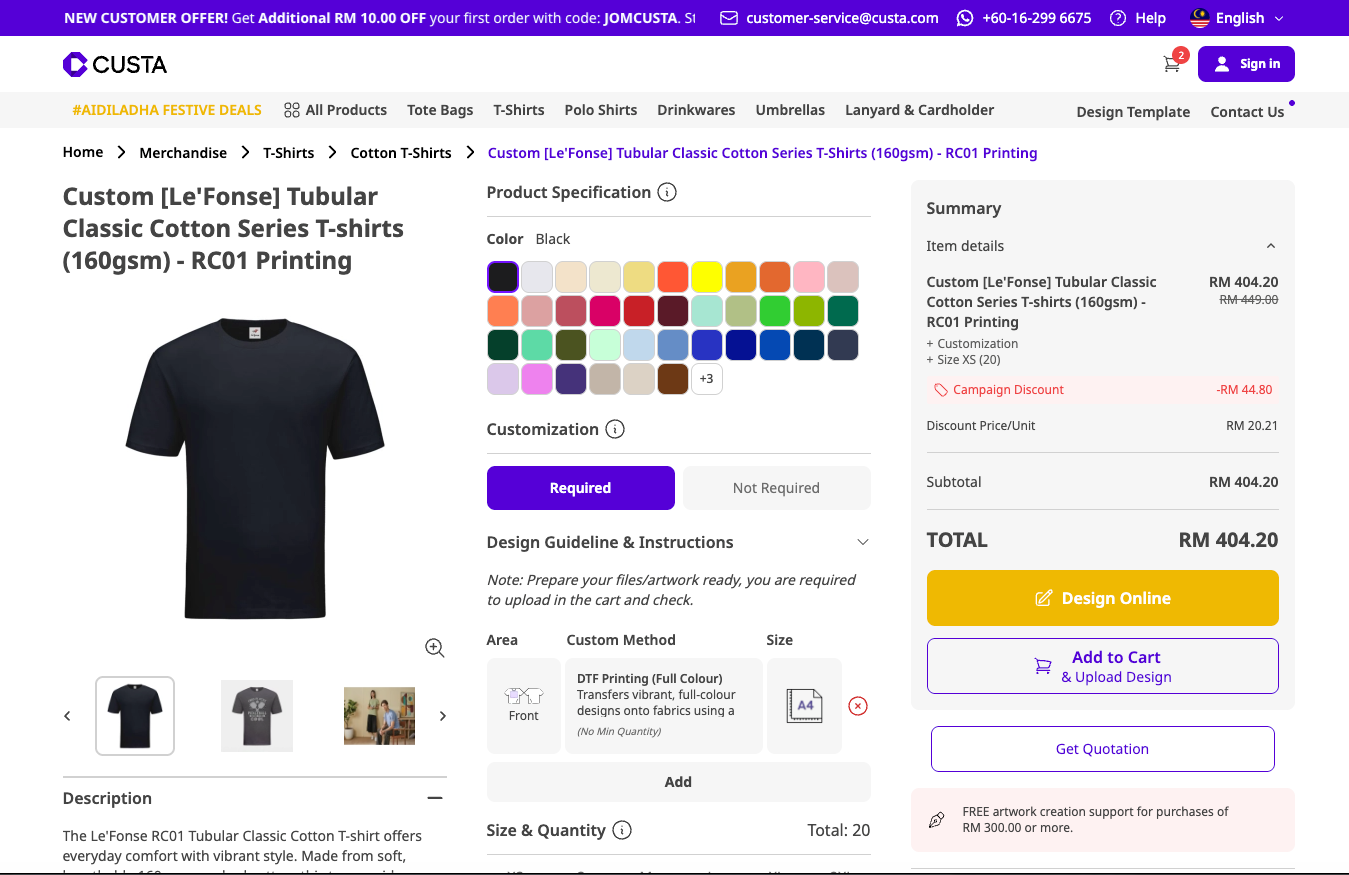
Once you've clicked on your product, you will reach the customization page. To move forward: 1. Configure your specs: Select your preferred color and specify your size and quantity. 2. Activate the editor: In the Customization section, ensure you have selected your requirements.
Note: You must select at least one customization area (like "Front" or "Back") for the editor button to become clickable.
3. Click start: Look to the summary sidebar on the right side of your screen. You will see the button: [Start Design with Online Editor]
Step 3: Draft Your Design in the Online Editor
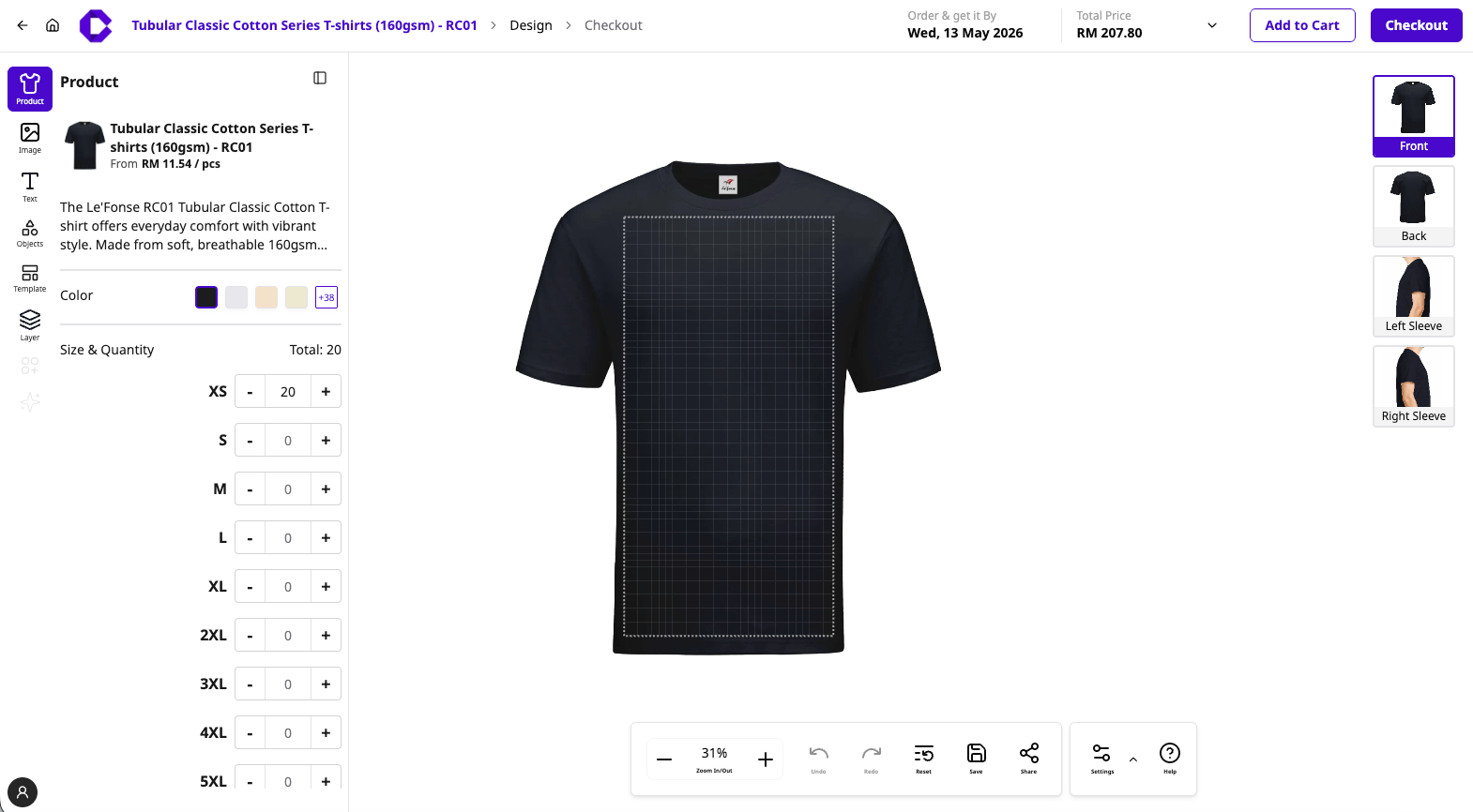
The Online Editor view will now appear with your selected product. Use the toolbars to bring your vision to life
Left Toolbar (your creative tools)
Product tab: Switch colors or double-check your size and quantity breakdown
Image: Upload your logos or photos. Remember to use high-resolution files for the best results!
Text: Add names, slogans, or numbers. You can customize fonts and sizes here.
Object & Templates: Access pre-set shapes and design layouts to make your work look professional in seconds.
Layers: Manage multiple design elements to ensure everything is perfectly stacked and positioned.
Right Toolbar (View Selection)
Easily toggle between the front, back, left sleeve, and right sleeve to ensure your branding is consistent from every angle.
Step 4: Final Review and Checkout
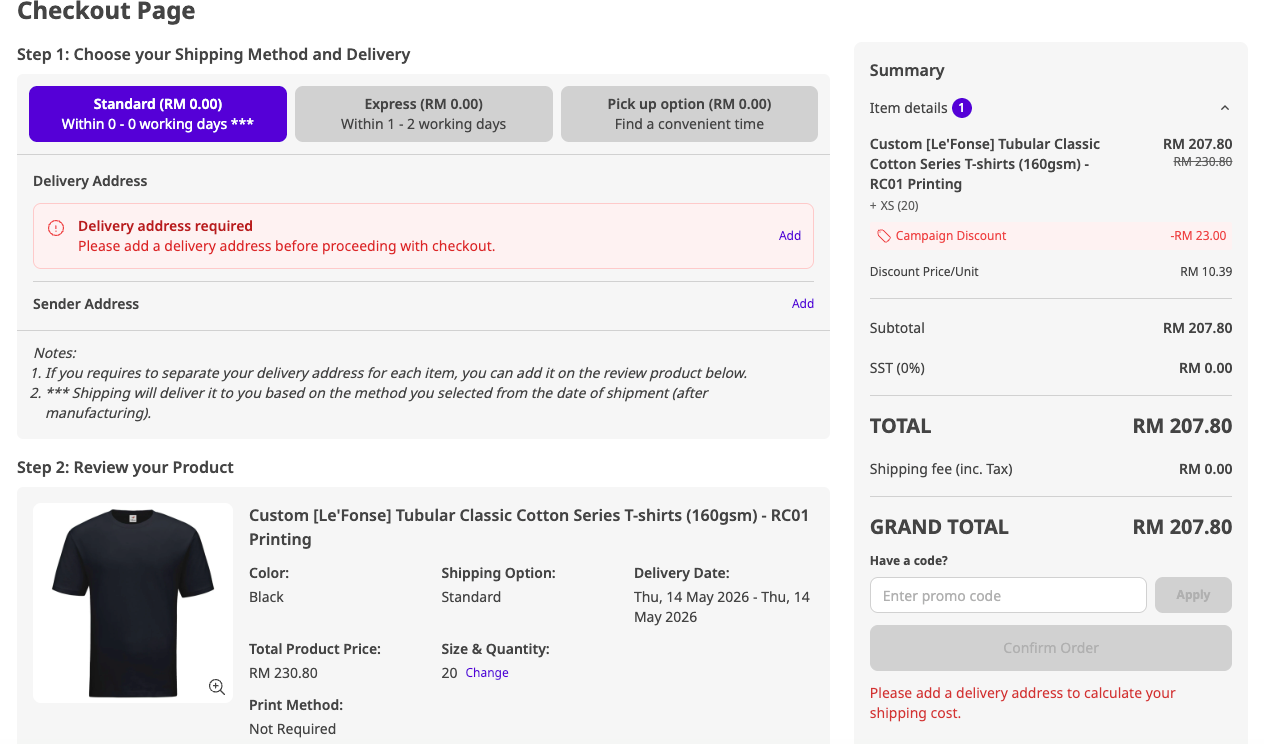
Finally, head to the checkout page to select your shipping method and enter your delivery address. Take a moment to review your product summary, size breakdown, and estimated delivery date to ensure everything is correct. Once you've confirmed the Grand Total in the summary sidebar, click Confirm Order to complete your purchase or use the final details to generate a quotation.
Why Use the CUSTA Online Editor?
Creating your own unique merchandise is an easy task and requires nothing else but an efficient tool for doing this. The Online Design Editor of our site was designed to simplify your entire process of merchandise customization, providing you with the following useful opportunities to make it fully under your control:
Visual of the Customization & Design Printing: There's no need to speculate about what you will get after sending the order printing. Using our editor, you will see exactly what your order will consist of, with accurate placement of your image on any of available items.
Share & Preview the Customization: Want some assistance in making the decision? You are able to generate a preview link for your personalized creation and send it to your teammates to get their opinion and approval regarding the design.
Instant Pricing & Price Transparency: Forget about long waits while you're trying to received a quote for your order. Our system instantly generates prices depending on all details of your order.
Real-Time Lead Time: We've made sure to keep you informed about the period during which you will receive the order. Our editor instantly provides you with an estimates time of its manufacturing and delivery.
Handy Tips & Guides for Your Next Project
Want to make the absolute most of your custom merch? We've put together a few quick, helpful guides to make you look like a seasoned design pro in no time:
New to our online editor tool? Check out our quick, step by step guide on How to Use the Online Editor to learn all the shortcut secrets and features.
Looking for design inspiration? If you are starting at a blank canvas, find out How Can I Design My Merchandise for fun ideas and helpful starting tips.
Curious about print styles? DTF, silkscreen, or embroidery? Explore our knowledge hub to Learn More About Customization Methods so you can pick the perfect fir for your look and budget!